- Go 98.9%
- Shell 1.1%
| .github/workflows | ||
| .gitignore | ||
| .goreleaser.yaml | ||
| build.sh | ||
| cassette.tape | ||
| client.go | ||
| client_test.go | ||
| demo.gif | ||
| demo.webm | ||
| DEVELOPMENT.md | ||
| domain.go | ||
| domain_test.go | ||
| go.mod | ||
| go.sum | ||
| LICENSE | ||
| main.go | ||
| main_test.go | ||
| README.md | ||
| version_info.go | ||


Masked Fastmail
A simple CLI tool for managing Fastmail masked email aliases.
Easily create new aliases for websites and manage existing ones.
Note
This is a personal project and is not in any way affiliated with Fastmail.com.
Features
- Get or create masked email addresses for domains
- Aliases are automatically copied to clipboard
- Enable, disable and delete aliases
- List existing aliases for a domain without creating new ones
Usage
Usage:
  masked_fastmail <url> "description"	(description is optional)
  manage_fastmail <alias> [flags]

Flags:
      --delete    delete alias (bounce messages)
  -d, --disable   disable alias (send to trash)
  -e, --enable    enable alias
  -l, --list      list aliases for a domain without creating anything
      --set-description string
                   update the description for an existing alias
  -h, --help      show this message
  -v, --version   show version information
See more usage examples below.
The following environment variables must be set:
export FASTMAIL_ACCOUNT_ID=your_account_id
export FASTMAIL_API_KEY=your_api_key
Installation
Option 1: Download a pre-built binary
Download the latest release from the releases page.
Option 2: Use go install
go install github.com/fredrmb/masked_fastmail@latest
You can verify the installation and check the version by running:
masked_fastmail --version
The binary will be installed to $GOBIN (or $GOPATH/bin, or ~/go/bin if neither is set). Make sure this directory is in your PATH.
Option 3: Build from source
- Clone the repository
- Run
./build.sh(includes version information) orgo build -o masked_fastmail
See DEVELOPMENT.md for more information about building, running and using this code.
Examples
Get or create alias
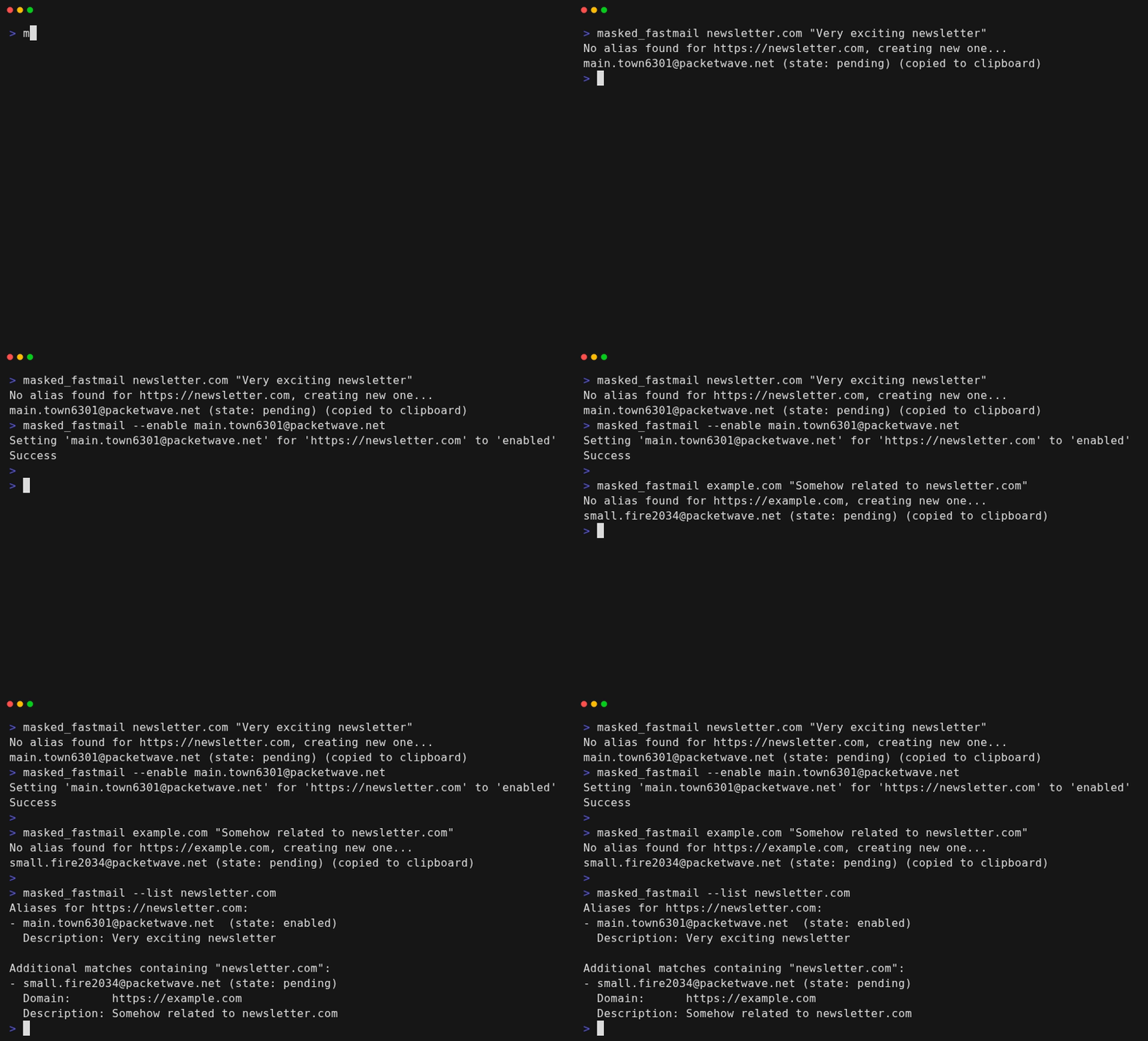
A new alias will only be created if one does not already exist. In either case, the alias is automatically copied to the clipboard.1
masked_fastmail example.com
You can optionally supply a description. Quotes are passed straight through the shell, so all characters are preserved:
masked_fastmail example.com "Shopping account at Example"
Descriptions supplied with an existing alias will be ignored to avoid accidental overwrites.
Use --set-description if you intend to update an existing alias. See example below.
Enable an existing alias
New Fastmail aliases are initialized to pending, and are set to enabled once they receive their first email.
However, they get automatically deleted if no email is received within 24 hours.
Some services may not send a timely welcome email, in which case it's helpful to manually enable the alias.
masked_fastmail --enable user.1234@fastmail.com
Disable an alias
This causes all new new emails to be moved to trash.
masked_fastmail --disable user.1234@fastmail.com
Delete an alias
This causes all new emails to bounce.
masked_fastmail --delete user.1234@fastmail.com
List aliases for a domain
Prints all known aliases for the site without creating a new one or copying to the clipboard. Results whose forDomain matches the normalized input are listed first, followed by aliases where the search text appears in the email, description, or forDomain fields.
masked_fastmail --list example.com
Update an alias description
Descriptions can only be updated explicitly to avoid accidental changes. Pass the alias email plus the new description:
masked_fastmail user.1234@fastmail.com --set-description "Personal finance login"
How domains are normalized
When you pass a URL or domain, the CLI normalizes it before talking to Fastmail:
- Paths, query strings, ports, and fragments are dropped (only scheme + host remain)
https://is assumed if you omit the scheme;http://is preserved if you specify it- Host names are lower-cased and trailing dots/slashes are removed
- In other words,
https://example.com,example.com,https://EXAMPLE.com/loginandexample.com/loginare all treated as equal
- In other words,
- Subdomains stay distinct (
shop.example.comis different fromexample.com)
The normalized value is stored in Fastmail's forDomain field. The description field is only populated with text you explicitly (and optionally) provide.
License
BSD 3-Clause License
-
Copying is done with Clipboard for Go and should work on all platforms. ↩︎